
We’re excited to introduce Extendify v3.0, bringing a simplified onboarding flow, a new sidebar-based AI Agent, faster access to design settings, and a cleaner Admin Dashboard experience.
Here’s what’s new:
- One-step prompt-to-website creation
- AI Agent: new sidebar experience
- AI Agent: switch website designs
- AI Agent: access design settings instantly
- Plugin notification center
Extendify v3.0 Overview Video
One-step prompt-to-website creation
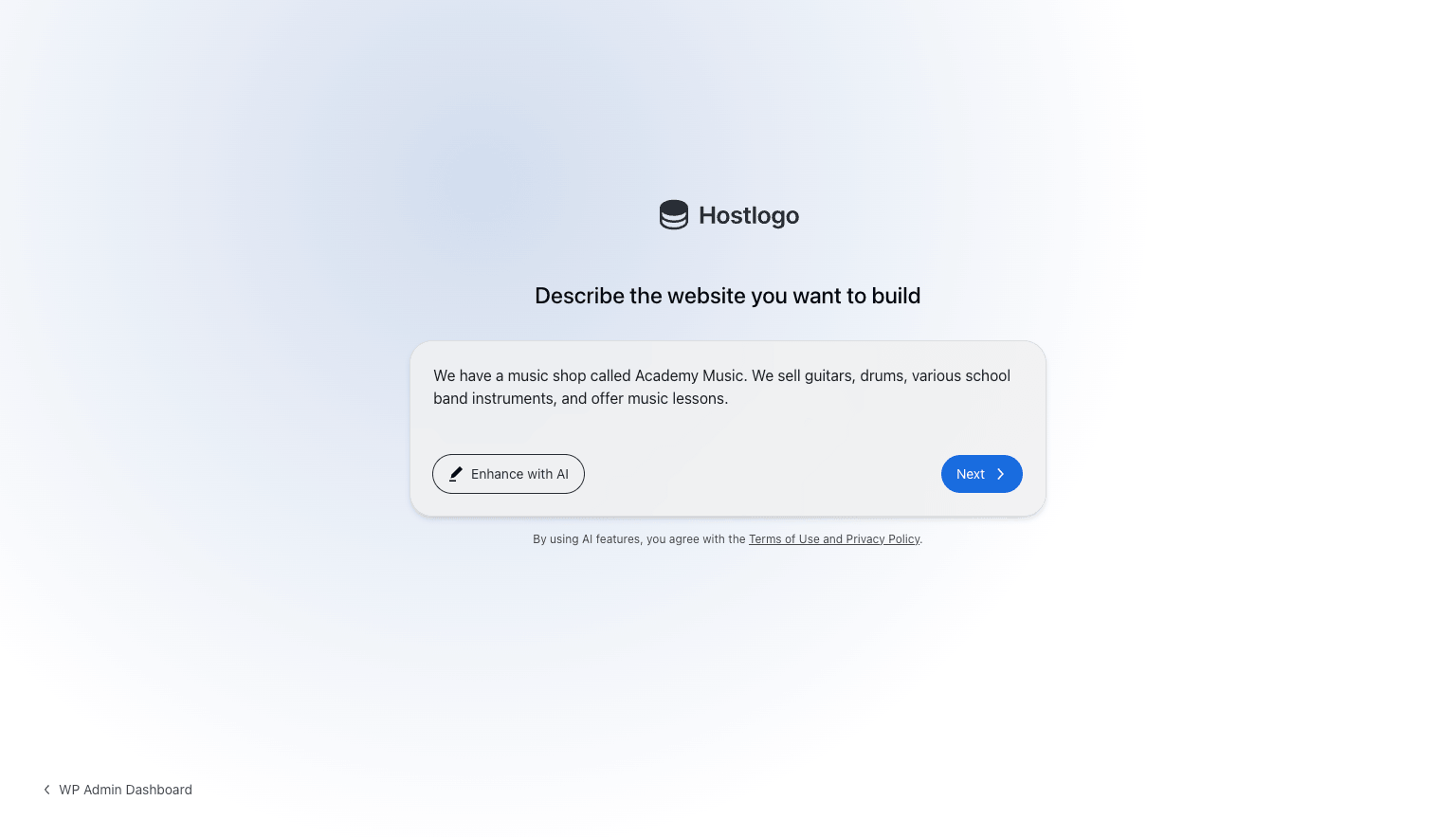
We want users to go from zero to a fully designed website as fast as possible. To make that happen, the website creation process is now a single step: add a description, click next, and the website is created! Users who need help describing what they need can click “Enhance with AI” to generate an improved website description.
The URL Parameters documentation has been updated to reflect these changes, along with new parameters that give partners more control over the websites that are created.
To test the new experience, use this URL with the latest Extendify release: /wp-admin/admin.php?page=extendify-auto-launch&extendify-preview[]=agent-onboarding.
This update will be enabled on April 6, 2026, to give partners time to update screenshots and documentation. Contact us if you want it enabled sooner or need more time.
AI Agent: new sidebar experience
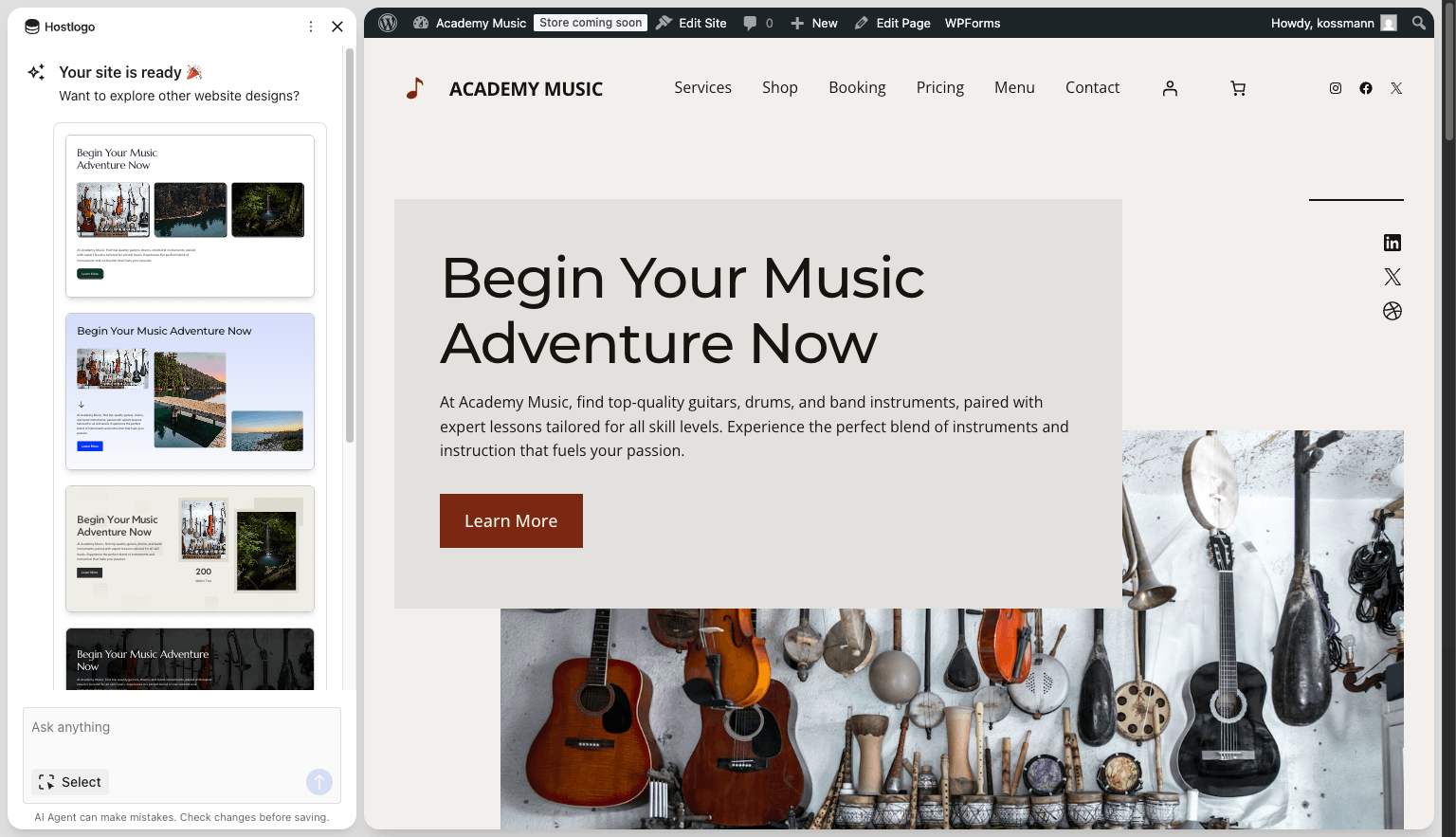
The AI Agent now lives in a sidebar instead of a floating window, giving users a clear view of their website while interacting with it, especially on smaller laptop screens. The sidebar also provides more space for richer interactions, like the website design selector described in the next section.
Inside the WordPress Admin Dashboard, the AI Agent continues to use a floating window to ensure maximum compatibility.
AI Agent: switch website designs
After the one-step onboarding, users land on their website with a design selector already open inside the AI Agent. With a single click, they can preview different combinations of color, font, style, and hero banner across the full page. Previously, users could only pick a design during the website creation process. Now they can switch it multiple times through the AI Agent to find the one that best fits their needs. To give users even more to choose from, this release also includes new hero banners.
AI Agent: access design settings instantly
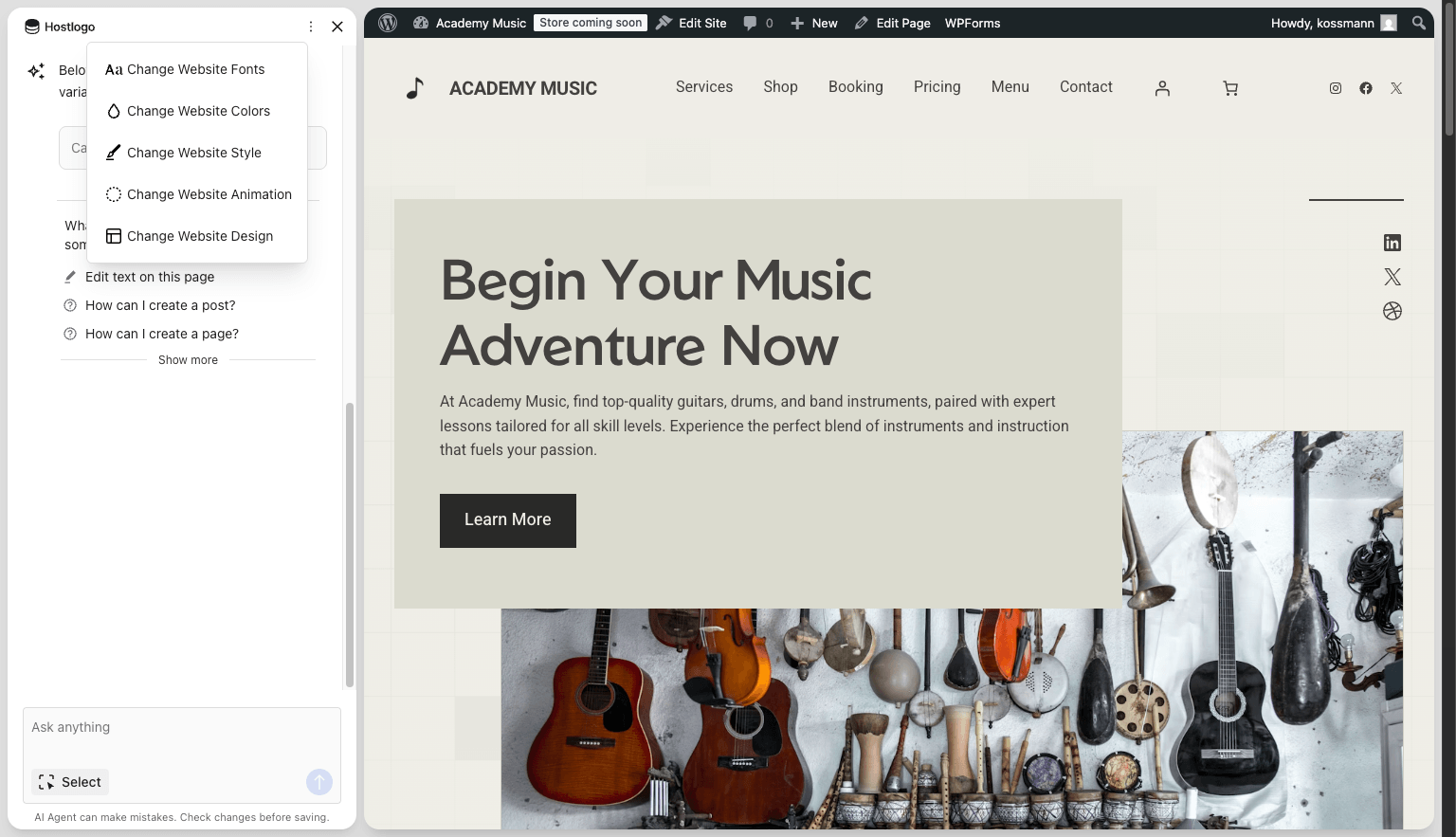
Design capabilities in the AI Agent, including color, style, font, and website design, now load instantly. They are also always accessible through the three-dot menu at the top of the AI Agent sidebar, so users can return to them at any time without needing to type a request.
Plugin notification center
WordPress plugin notifications can clutter the Admin Dashboard and distract users from their workflow. With this release, we’re organizing them into a dedicated Plugin Notification menu. Users can view active notifications, dismiss them, and browse a history of everything that was dismissed, all in one place.
We’re starting with select plugin notifications and will expand coverage in the future.
Other Fixes and Improvements
This release comes with several fixes and refinements, including:
- Added language support for Latvian.
- Added a PHP hook when website creation finishes, allowing hosting partners to build custom integrations.
This release is a big step forward in making the website creation and customization experience even simpler. We’d love to hear how these changes land with your users and what you’d like to see us focus on next.